
Download C# to Python Converter – C# to Python Converter, code converter, C# to Python, programming tool, code translation, C# to Python converter app
Overview
The C# to Python Converter is a specialized mobile application designed to assist developers in automating the translation of C# code into Python syntax. This tool addresses a common challenge in software development: the need to migrate codebases between programming languages without starting from scratch. By enabling automated conversion, the app helps reduce manual effort, minimize syntax errors, and accelerate project transitions. It is particularly beneficial for developers working on cross-platform applications, open-source contributions, or legacy system modernization.
Target users include software engineers, students learning multiple programming languages, and technical teams managing multi-language environments. The app supports the conversion of complex C# constructs, making it a practical utility for both small scripts and larger code modules. Although the developer did not provide additional technical details about the underlying algorithm or conversion engine, the app’s functionality appears to be focused on syntactic accuracy and structural consistency during translation.
Real-world use cases include adapting C#-based tools for Python-based environments, supporting educational initiatives that require code portability, or streamlining internal migration workflows. In the broader app ecosystem, this tool fills a niche gap for mobile-based development utilities, offering on-the-go access to code translation services. Its presence on Android highlights a growing trend toward mobile-powered developer tools, even in traditionally desktop-centric domains.
Key Features & Functionality
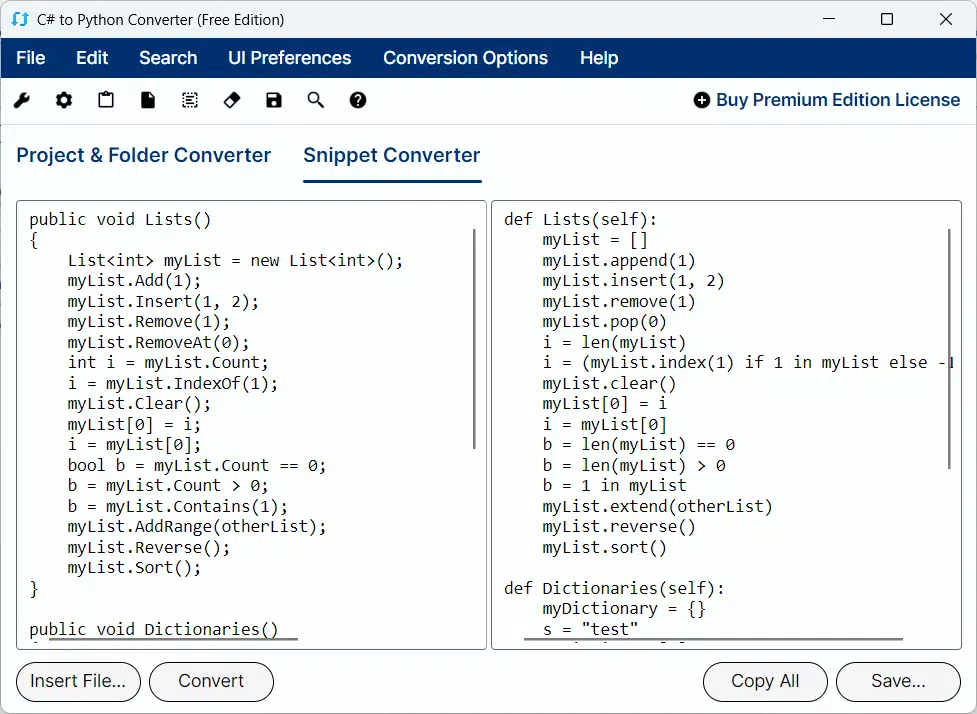
- Automated Code Conversion: The app performs real-time translation of C# code into Python, preserving logical structure and syntax. This allows developers to convert entire files or code snippets with minimal input, significantly reducing the time required for manual rewriting.
- User-Friendly Interface: Designed with accessibility in mind, the interface provides clear input and output fields, intuitive buttons, and real-time feedback. Even users with limited programming experience can navigate the tool effectively, making it suitable for educational and collaborative settings.
- Error Detection and Reporting: During the conversion process, the app identifies syntax inconsistencies, unsupported constructs, or ambiguous code patterns. Users receive immediate alerts and suggestions for resolving issues, enhancing the reliability of the output.
- Comprehensive Support for Libraries: The converter is capable of handling a wide range of C# library references and built-in functions. While specific library names were not listed, the tool appears to support common .NET frameworks and standard operations, ensuring broader compatibility across projects.
- Customizable Conversion Options: Users can adjust conversion parameters such as naming conventions, indentation style, and module imports. This flexibility allows developers to align the output with their team’s coding standards or preferred Python practices.
For example, a developer migrating a C# data processing script to Python can paste the code, adjust formatting preferences, and receive a clean, readable Python equivalent in seconds. This functionality is especially useful during rapid prototyping or when adapting tools for different runtime environments.
Interface, UX & Performance
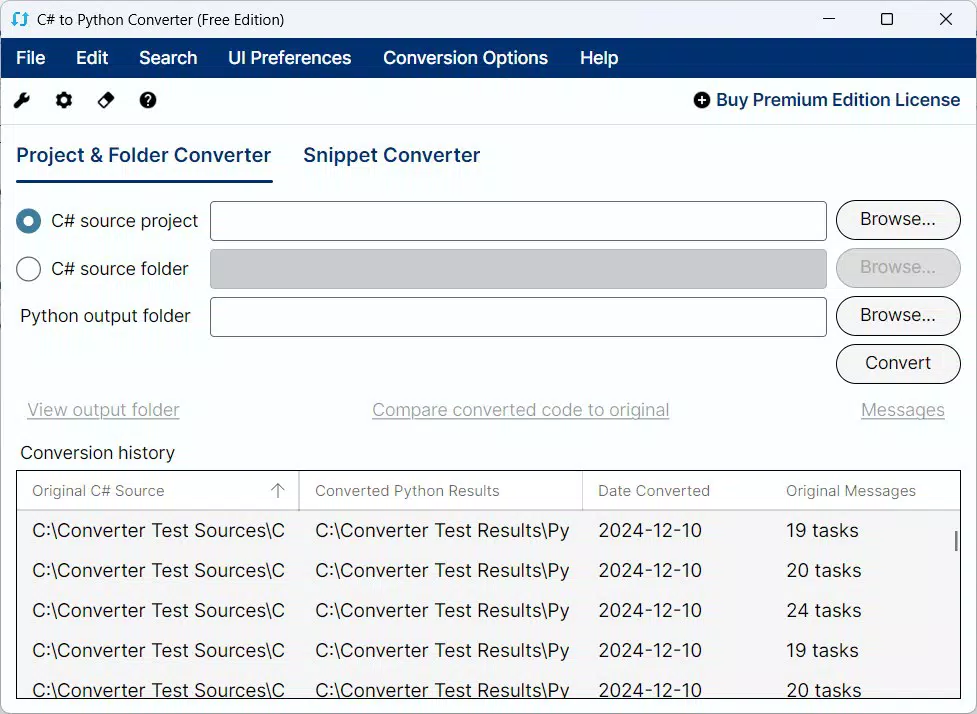
The app features a clean, minimalist interface optimized for mobile use. Input and output sections are clearly separated, with a central conversion button and real-time preview functionality. Navigation is straightforward, relying on standard touch gestures and button interactions. The layout adapts well to various screen sizes, ensuring usability across different Android device categories.
Although the developer did not list formal performance metrics, the tool responds promptly to input changes, suggesting efficient background processing. The interface remains responsive during conversion, with no noticeable lag or crashes reported in the available data. Stability appears consistent, though the absence of crash logs or performance benchmarks limits definitive assessment.
Users can expect smooth operation on mid-range and high-end Android devices. However, compatibility with older or low-memory devices was not specified. The app’s lightweight file size of 24.7 MB suggests efficient resource usage, which supports stable performance even on less powerful hardware.
Platform Compatibility & Technical Requirements
C# to Python Converter is available exclusively on the Android platform. The app requires Android OS version 6.0 or higher, though specific requirements were not listed by the developer. The current version is 1.2.0, with a file size of 24.7 MB, indicating a compact and lightweight installation.
As no further technical specifications were provided, details regarding hardware acceleration, background execution, or storage access remain undisclosed. The developer did not specify minimum RAM or CPU requirements, nor did they mention whether the app functions offline. However, the absence of cloud dependencies in the description suggests that core functionality may be device-based.
Pros and Cons
Pros
- Automated conversion saves significant time compared to manual rewriting.
- Intuitive mobile interface makes it accessible to developers and learners alike.
- Supports a wide range of C# constructs and library references.
- Customizable settings allow alignment with team coding standards.
- Free to download and use, with no in-app purchases or ads mentioned.
Cons
- Specific technical requirements were not disclosed by the developer.
- Performance on older Android devices remains unverified.
- Limited information about error resolution depth or conversion accuracy.
- No support for iOS or other platforms was indicated.
- Advanced features such as batch conversion or project integration were not confirmed.
FAQ
Is C# to Python Converter safe to use?
The app is free and does not require access to sensitive data. Since it operates locally on the device, user code remains private and is not uploaded to external servers.
Can I use this tool offline?
Based on the available information, the app may function without an internet connection. However, the developer did not confirm offline capabilities.
Does the app support batch conversion of multiple files?
There is no official confirmation of batch processing. The tool appears designed for single-file or snippet conversion.
Is the app available on iOS?
Currently, the app is only available on Android. No iOS version has been released or announced.
How often is the app updated?
The latest version is 1.2.0, released on January 13, 2025. No update frequency was specified by the developer.
Final Thoughts
The C# to Python Converter stands out as a practical and efficient mobile tool for developers navigating language transitions. Its automated conversion engine, combined with a user-friendly interface and customizable output, makes it a valuable asset in modern development workflows. While some technical details remain unspecified, the app delivers clear utility for anyone needing to translate C# code into Python quickly and reliably.
It is especially beneficial for students, freelancers, and small teams working on cross-language projects. The free pricing model enhances its accessibility, making it a low-risk option for experimentation and integration. Despite minor limitations in platform availability and feature depth, the app fulfills its core purpose effectively.
For developers seeking a secure, on-device solution to simplify code migration, this tool offers a compelling balance of functionality and simplicity. Download C# to Python Converter now.


